The daily report records what happened on site today. It is simple, but it is the raw material for every other report: the weekly report, the S-curve, site measurements, crew wages, and evidence when there is a delay claim. A regular, consistent daily report is worth more than a polished weekly report written from memory.
What the daily report contains
| Section | Example |
|---|---|
| Date, project, block | 23/06/2026, example housing project, block C5 |
| Weather | Sunny morning, rain 1 pm to 3 pm |
| Workers | Foreman 1, skilled 6, labourers 8 |
| Equipment | Mixer 1, vibrator 1 |
| Materials delivered | Cement 40 bags (SJ-131), 10 mm rebar 30 bars |
| Today’s work | III.1 ground beam pour C5-07 done, 0.9 m3; IV.1 block walls C5-08, 40 m2 |
| Problems | 10 mm rebar 10 bars short; work stopped 2 hours for rain |
| Instructions and visitors | The supervisor asked for wall joints on C5-06 to be redone |
| Safety | No incidents; 2 workers without helmets warned |
| Photos | 6 photos, named by the naming rule |
Filling it in so it is useful
- Fill it every working day, even when work stops. Rain days and days waiting for material are important evidence for time extensions.
- Write work with the same codes as the budget and schedule, and quantities with units.
- Count workers by trade, because this is the basis of wages and productivity.
- Record deliveries with the delivery note number, so they can be matched with the store and the PO.
- Send it at the same time every day to one person who rolls it up.
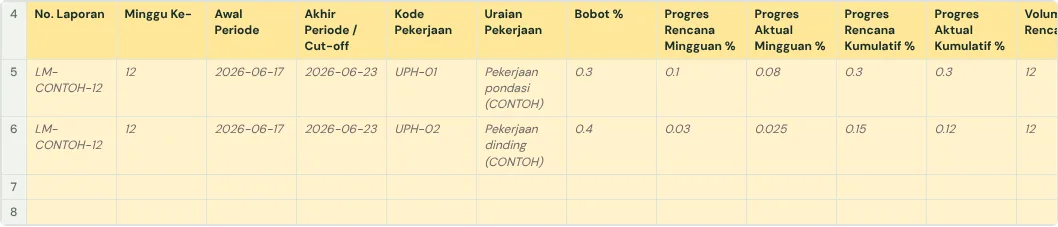
- At the end of each week, add the daily quantities per work item into weekly progress.
Common mistakes
- Reports written all at once at the end of the week from memory.
- Work written as "continued walls" with no location, code or quantity.
- Rain days and waiting days not recorded, so time extensions are hard to prove.
- A different format for each foreman, so they are hard to roll up.
The full guide is in How to create a weekly construction schedule report in Google Sheets. It has a free template (Excel or Google Sheets) and a checker that reads your own workbook.
Ready to use the Komander agents on your projects?
When your workbook is complete, apply for a pilot: we help connect your project data to the Finance, Cost and Scheduler agents and review the first reports with you.
Send to melwani@komander.ai. Your workbook check result is included when there is one; the workbook itself is not sent.
Common questions
What goes into a daily construction report?
Date, weather, workers, equipment, materials delivered, today’s work and quantities, problems, instructions, safety and photos.
Who writes the daily report?
The site supervisor or foreman, then the project admin or site manager rolls it up.
How does the daily report become the weekly report?
Daily quantities per work item are added into that week’s progress, then compared with the plan.